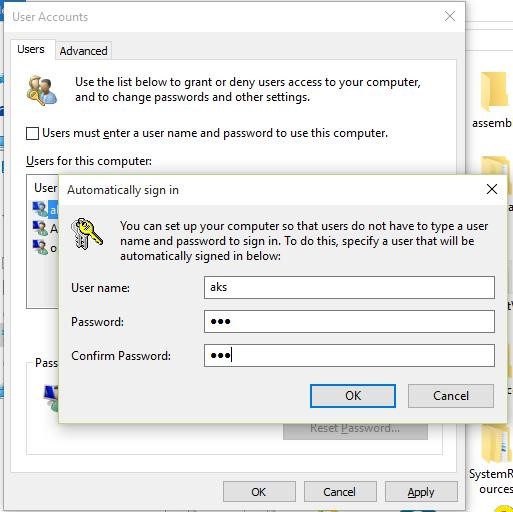
Logging in automatically using the Microsoft account comes disabled in Windows 10, and to enable this feature, follow these steps:
- Press Win+R keys to open the Run dialog
- Type in “netplwiz” and press OK
- In the opened window, click on the account for which you want to enable ‘automatic login’
- Uncheck (or untick) the option ‘Users must enter a username and password to use this computer’ and click OK
- Enter that account’s password twice in the new dialog, and click OK to enable automatic login and try logging in automatically now – it will work